Showing posts with label SEO. Show all posts

Get Google Sitelinks Search Box [Structured Data] in Website or Blogger | Blogging Tips

Have you noticed a slightly new look for certain search results in SERP, it's because of Google announced a new schema markup type for all the visitors that those can be able to search on site within the search results itself. It will make it easier for site visitors to visit direct specific content on your site with the help of this Sitelinks search box. Get a search box to appear in my site's search results - Google has already announced a new sitelinks search box. And that is why you are looking for how to display the search box in sitelinks of Google search results we are going to see how to implement Google's Sitelinks Search Box in Blogger or any website by using schema.org markup. With lots of benefits are there in terms of SEO that making Google's job very easy in collecting site data to increase traffic. Here is a step-by-step guide to enable or get the sitelinks search box in SERP. It's an advanced blogging tip. Learn how to show Google's sitelinks search box for your any website or blogger blog and increase Google web traffic.
Get Google Sitelinks Search Box in Website or Blogger - Blogging Tips

For better SEO last time we have seen how star rating can be implemented in website or blogger, while we also seen the importance and how Breadcrumb affect your search results. But today we are going to see new and advanced blogging tip on getting sitelinks search box to increase website traffic.

Also check: 5 Ways How Wearable Technology Will Improve Our Daily Life

Advantages - Google Sitelinks Search Box

Creating a website on Google is once easy but getting visits is one of the hard task. This is best option as it directly transfer all the visitors to your own search results instead of other Google pages that showing ads coming from 3rd party sites. One can only see 'search box' in search results if he/she searches for your brand name. If he/she is aware of your brand, chances are high that he/she will directly land to your website without searching it over Google. As a results of this, you would get more clicks and more visits, and that will help to get better control over the site navigation. It's possible the sitelinks search box - like other SERP features - can increases CTR for sites that it displays for. This could be an advantage if competitors are bidding on your brand name - and can help you earn those 1st pass clicks, even if users don't use the search box.

How to display my website in google search results with Sitelinks Search Box

To implement this feature on your site or blog, your website must have a working SearchAction markup. The sitelinks search box (schema.org/SearchAction) is one of the most popular markups out there. Once you installed related markup, webmasters can use Schema.org from your index page. This markup uses, the property of "@type" to define your site type. Moreover, the property of "url" used to use your site URL of the site going to be searched. The "potentialAction" & "target" properties are used for supported action a user might take on targeted URL.

Steps:
  1. Go to your HTML section of your site.
  2. Copy and past following code according to your site before  </head>  tag:

    Google Sitelinks Search Box Code:

    <!-- Google's Sitelinks Search Box On Your Website -->
    <script type="application/ld+json">
    {
      "@context": "http://schema.org",
      "@type": "WebSite",
      "url": "https://www.yoursite.com/",
      "potentialAction": {
      "@type": "SearchAction",
      "target": "https://query.yoursite.com/search?q={search_term_string}",
      "query-input": "required name=search_term_string"
           }
    }
    </script>
    <!-- Google's Sitelinks Search Box On Your Website -->
    [Important: Here you need to change "yoursite" with your domain and "target" entity as per your site search link]
  3. Save the template and wait for Google to crawl your site.
  4. Done.

Don't like this feature, Opt out:

By default, searches performed in the sitelinks box sends users to the second set of Google results, refined to include to results from the target website. The second page also typically includes additional Google ads, giving the searcher a chance to click on an ad instead of visiting your website. And this is the reason why major websites like Microsoft, Facebook, Amazon does not have it.
If you think, you also don't need this box, just add the following code in your site:
<meta name="google" content="nositelinkssearchbox" />

The Bottom Line

If you can get more traffic without losing anything, then why not implement this in our site? I would like to tell you the interesting part about SearchAction is can be seen in a branded search page; your brand stands out more qualified & your brand gonna rank high enough in any case. So have implemented the code for Google's sitelinks search box and share your experience with us.

Social Tags: #Google #SERP #SEO #BloggingTips #Howto #Internet #Blogging

Top 30 Best-Selling WordPress Themes [Aug, 2016] | Most Popular Premium Website Templates | TemplateMonster

Summer is always a new beginning. The birds are singing, the grass is growing, the sun is shining, and it brings with it fresh ideas in every single area of life. Web design is not an exception. Today we have chosen for you 30 TemplateMonster bestsellers of this summer. These themes are considered to be the most popular and the most recognized by the clients. And there is no wonder, as they have the best features and stand out from all the rest by beautiful design. Browse 2016's best selling, selected & responsive WordPress themes: Ready-made templates are the best choice when you want to start your online business. Making a site with the ready-made theme has loads of advantages over making it from scratch. You save quite a lot of time and money as you don't need the whole crew of web designers, coders, testers, programmers. You can customize any theme by yourself. No special skills are required with extremely user-friendly and intuitive back-end. You can adjust almost every detail up to your needs and make sure your website look completely unique and stylish as like it is made from scratch. Different color schemes, custom widgets, 600+ Google fonts and lots of other details.
Top 30 TemplateMonster Best-Sellers WordPress Themes [July, 2016] | Best Website Templates | Responsive Themes
TemplateMonster Best-Sellers WordPress Themes | Best Website Templates | Responsive Themes
Last time we have seen WordPress Vs Blogger 2016 - How to Pick the Best Blogging Platform? also provide Best BlueHost Coupon Codes & Review to Get 56% Off + FREE .COM Domain. And today we are going to see collection of top selling creative & premium WordPress templates on TemplateMonster marketplace including flexible Responsive e-Commerce themes. These are the most sold best WordPress time-honoured themes & templates verified by various customers.

Top 30 TemplateMonster Summer Best-Selling WordPress Themes 2016

If you buy any of these themes as a bonus you get all the images it goes with for free. However, you can always replace them when you feel like that. The themes are easy to install and to customize, but if you come across any problem 24/7 support team is always ready to help. Among these top 30 TemplateMonster bestsellers, you will find WordPress, Joomla, Magento, PrestaShop, HTML and Multipurpose themes. So no matter whether you want to start a blog or an online shop you will find something for your needs. But be sure you can find even more on the site if nothing fits you among these 30 templates.

Fashion and Beauty WordPress Template

Top 30 TemplateMonster Summer Best-Sellers
Details | Demo

Financial Services WordPress Theme

Top 30 TemplateMonster Best-Sellers WordPress Themes | Best Website Templates | Responsive Themes Best templatemonster wordpress themes including bootstrap & best working coupon codes for all your website including joomla magento prestashop or html web also responsive and better seo but bestsellers in fashion as well as blog travel Get premium templates for online store
Details | Demo

Advertising Agency WordPress Theme

Top 30 TemplateMonster Best-Sellers WordPress Themes | Best Website Templates | Responsive Themes Best templatemonster wordpress themes including bootstrap & best working coupon codes for all your website including joomla magento prestashop or html web also responsive and better seo but bestsellers in fashion as well as blog travel Get premium templates for online store
Details | Demo

Global Business WordPress Theme

Top 30 TemplateMonster Best-Sellers WordPress Themes | Best Website Templates | Responsive Themes Best templatemonster wordpress themes including bootstrap & best working coupon codes for all your website including joomla magento prestashop or html web also responsive and better seo but bestsellers in fashion as well as blog travel Get premium templates for online store
Details | Demo

Styler PrestaShop Theme for Fashion Shop

Top 30 TemplateMonster Best-Sellers WordPress Themes | Best Website Templates | Responsive Themes Best templatemonster wordpress themes including bootstrap & best working coupon codes for all your website including joomla magento prestashop or html web also responsive and better seo but bestsellers in fashion as well as blog travel Get premium templates for online store
Details | Demo

Modicate Multipurpose Template

Top 30 TemplateMonster Best-Sellers WordPress Themes | Best Website Templates | Responsive Themes Best templatemonster wordpress themes including bootstrap & best working coupon codes for all your website including joomla magento prestashop or html web also responsive and better seo but bestsellers in fashion as well as blog travel Get premium templates for online store
Details | Demo


Roofing Services WordPress Theme

Top 30 TemplateMonster Best-Sellers WordPress Themes | Best Website Templates | Responsive Themes Best templatemonster wordpress themes including bootstrap & best working coupon codes for all your website including joomla magento prestashop or html web also responsive and better seo but bestsellers in fashion as well as blog travel Get premium templates for online store
Details | Demo

Fine Art WordPress Theme

Top 30 TemplateMonster Best-Sellers WordPress Themes | Best Website Templates | Responsive Themes Best templatemonster wordpress themes including bootstrap & best working coupon codes for all your website including joomla magento prestashop or html web also responsive and better seo but bestsellers in fashion as well as blog travel Get premium templates for online store
Details | Demo

RealEstate Agency WordPress Theme

Top 30 TemplateMonster Best-Sellers WordPress Themes | Best Website Templates | Responsive Themes Best templatemonster wordpress themes including bootstrap & best working coupon codes for all your website including joomla magento prestashop or html web also responsive and better seo but bestsellers in fashion as well as blog travel Get premium templates for online store
Details | Demo

Cosy Hotel WordPress Theme

Top 30 TemplateMonster Best-Sellers WordPress Themes | Best Website Templates | Responsive Themes Best templatemonster wordpress themes including bootstrap & best working coupon codes for all your website including joomla magento prestashop or html web also responsive and better seo but bestsellers in fashion as well as blog travel Get premium templates for online store
Details | Demo

IT Solutions WordPress Template

Top 30 TemplateMonster Best-Sellers WordPress Themes | Best Website Templates | Responsive Themes Best templatemonster wordpress themes including bootstrap & best working coupon codes for all your website including joomla magento prestashop or html web also responsive and better seo but bestsellers in fashion as well as blog travel Get premium templates for online store
Details | Demo

KingNews WordPress Theme

Top 30 TemplateMonster Best-Sellers WordPress Themes | Best Website Templates | Responsive Themes Best templatemonster wordpress themes including bootstrap & best working coupon codes for all your website including joomla magento prestashop or html web also responsive and better seo but bestsellers in fashion as well as blog travel Get premium templates for online store
Details | Demo

Interior and Furnishing Joomla Template

Top 30 TemplateMonster Best-Sellers WordPress Themes | Best Website Templates | Responsive Themes Best templatemonster wordpress themes including bootstrap & best working coupon codes for all your website including joomla magento prestashop or html web also responsive and better seo but bestsellers in fashion as well as blog travel Get premium templates for online store
Details | Demo

Business Strategy Joomla Template

Top 30 TemplateMonster Best-Sellers WordPress Themes | Best Website Templates | Responsive Themes Best templatemonster wordpress themes including bootstrap & best working coupon codes for all your website including joomla magento prestashop or html web also responsive and better seo but bestsellers in fashion as well as blog travel Get premium templates for online store
Details | Demo

Lifestyle Joomla Template

Top 30 TemplateMonster Best-Sellers WordPress Themes | Best Website Templates | Responsive Themes Best templatemonster wordpress themes including bootstrap & best working coupon codes for all your website including joomla magento prestashop or html web also responsive and better seo but bestsellers in fashion as well as blog travel Get premium templates for online store
Details | Demo

Advertising Ideas Joomla Template

Top 30 TemplateMonster Best-Sellers WordPress Themes | Best Website Templates | Responsive Themes Best templatemonster wordpress themes including bootstrap & best working coupon codes for all your website including joomla magento prestashop or html web also responsive and better seo but bestsellers in fashion as well as blog travel Get premium templates for online store
Details | Demo

Career and Recruting Joomla Template

Top 30 TemplateMonster Best-Sellers WordPress Themes | Best Website Templates | Responsive Themes Best templatemonster wordpress themes including bootstrap & best working coupon codes for all your website including joomla magento prestashop or html web also responsive and better seo but bestsellers in fashion as well as blog travel Get premium templates for online store
Details | Demo

Beer Responsive Joomla Template

Top 30 TemplateMonster Best-Sellers WordPress Themes | Best Website Templates | Responsive Themes Best templatemonster wordpress themes including bootstrap & best working coupon codes for all your website including joomla magento prestashop or html web also responsive and better seo but bestsellers in fashion as well as blog travel Get premium templates for online store
Details | Demo

Fashion and Design Joomla Template

Top 30 TemplateMonster Best-Sellers WordPress Themes | Best Website Templates | Responsive Themes Best templatemonster wordpress themes including bootstrap & best working coupon codes for all your website including joomla magento prestashop or html web also responsive and better seo but bestsellers in fashion as well as blog travel Get premium templates for online store
Details | Demo

Online Education Joomla Theme

Top 30 TemplateMonster Best-Sellers WordPress Themes | Best Website Templates | Responsive Themes Best templatemonster wordpress themes including bootstrap & best working coupon codes for all your website including joomla magento prestashop or html web also responsive and better seo but bestsellers in fashion as well as blog travel Get premium templates for online store
Details | Demo

Make-Up and Hair Stylist Website Template

Top 30 TemplateMonster Best-Sellers WordPress Themes | Best Website Templates | Responsive Themes Best templatemonster wordpress themes including bootstrap & best working coupon codes for all your website including joomla magento prestashop or html web also responsive and better seo but bestsellers in fashion as well as blog travel Get premium templates for online store
Details | Demo

Molotok PrestaShop Theme

Top 30 TemplateMonster Best-Sellers WordPress Themes | Best Website Templates | Responsive Themes Best templatemonster wordpress themes including bootstrap & best working coupon codes for all your website including joomla magento prestashop or html web also responsive and better seo but bestsellers in fashion as well as blog travel Get premium templates for online store
Details | Demo

Cyan PrestaShop Theme

Top 30 TemplateMonster Best-Sellers WordPress Themes | Best Website Templates | Responsive Themes Best templatemonster wordpress themes including bootstrap & best working coupon codes for all your website including joomla magento prestashop or html web also responsive and better seo but bestsellers in fashion as well as blog travel Get premium templates for online store
Details | Demo

Building PrestaShop Template

Top 30 TemplateMonster Best-Sellers WordPress Themes | Best Website Templates | Responsive Themes Best templatemonster wordpress themes including bootstrap & best working coupon codes for all your website including joomla magento prestashop or html web also responsive and better seo but bestsellers in fashion as well as blog travel Get premium templates for online store
Details | Demo

Tennis Sport PrestaShop Template

Top 30 TemplateMonster Best-Sellers WordPress Themes | Best Website Templates | Responsive Themes Best templatemonster wordpress themes including bootstrap & best working coupon codes for all your website including joomla magento prestashop or html web also responsive and better seo but bestsellers in fashion as well as blog travel Get premium templates for online store
Details | Demo

Fashion Clothes Magento Theme

Top 30 TemplateMonster Best-Sellers WordPress Themes | Best Website Templates | Responsive Themes Best templatemonster wordpress themes including bootstrap & best working coupon codes for all your website including joomla magento prestashop or html web also responsive and better seo but bestsellers in fashion as well as blog travel Get premium templates for online store
Details | Demo

Electronic Gadgets Magento Theme

Top 30 TemplateMonster Best-Sellers WordPress Themes | Best Website Templates | Responsive Themes Best templatemonster wordpress themes including bootstrap & best working coupon codes for all your website including joomla magento prestashop or html web also responsive and better seo but bestsellers in fashion as well as blog travel Get premium templates for online store
Details | Demo

Men's Fashion Magento Theme

Top 30 TemplateMonster Best-Sellers WordPress Themes | Best Website Templates | Responsive Themes Best templatemonster wordpress themes including bootstrap & best working coupon codes for all your website including joomla magento prestashop or html web also responsive and better seo but bestsellers in fashion as well as blog travel Get premium templates for online store
Details | Demo

Garden Furniture Magento Theme

Top 30 TemplateMonster Best-Sellers WordPress Themes | Best Website Templates | Responsive Themes Best templatemonster wordpress themes including bootstrap & best working coupon codes for all your website including joomla magento prestashop or html web also responsive and better seo but bestsellers in fashion as well as blog travel Get premium templates for online store
Details | Demo

Top 30 TemplateMonster Best-Sellers WordPress Themes | Best Website Templates | Responsive Themes Best templatemonster wordpress themes including bootstrap & best working coupon codes for all your website including joomla magento prestashop or html web also responsive and better seo but bestsellers in fashion as well as blog travel Get premium templates for online store

Setup CloudFlare Free CDN Service in WordPres/Blogger | Speed Up Site Loading

The Page loading is one of the major factors in case if you want to improve PageRank. Yeah, off-course, the content is also important for any page, but what if? when it is taking too much time to load to display, the reader will not wait and eventually will switch to another site. This affects your page-views and so the PageRank. There are lots of ways to improve page loading of a website, but one of the best is by using CDN [Content Delivery Network]. CDN improves your page load speed, bounce rate, and security [HTTPS]. That will cause your visitor to love your site and to convert from visitor to regular reader of your pages. You can use CloudFlare with any custom Wordpress or Blogger domain you just have the full control over managing it's DNS settings. So stop searching how do I set up CloudFlare�s free CDN for WordPress or BlogSpot sites? Learn more about CDN service & get to know how to use CDN for blogger blog or any website to improve the user experience. Moreover, you can speeding up your WordPress with PageSpeed Service by this Free CloudFlare CDN plugins.
How To Setup Free CloudFlare CDN | Speed up Blogger Site
Last time we have seen 5 Advanced Tips For Making Blogger Blog To Load Faster to make fast page load time, that will increase your overall page views, cause lower bounce rate. And today we are going to see something advanced of the best Blogging Tips but most productive way to improve and optimize the site performance with 24/7 network & website monitoring by CDN servers.

Also, read: 5 Tips To Make Your Blog Load 10x Faster

Effect of CloudFlare CDN On Page Loading

Below chart shows the output result by the site performance especially the page load time calculated over a week. Before applying CDN, the blog loading time was around 15sec. but later after applying CDN effectively, it goes around 3sec and now it is around 1.84sec. Data is measured by one of the best free website performance monitoring tool called - Pingdom Pagespeed tool.
CDN Effect mesured by Pingdom tools

About CDN - What Is CDN & How It Works?

Your visitors expect your site to load immediately. And moreover, Google already officially declare that "page speed is one of the factors to consider for search engine ranking". And CDN is highly recommended the technique to speed up to loading time. Instead of going into details about CDN, I would like to explain you in short. CDN - Content Delivery Network - which is located globally across the Internet that will help to serve your web page and content of your site based on the geo-location of the visitor. It makes your site to load fast as it caches your site content and stores it on global servers, so if any user wants to access your page from any location, then instead of going to the primary hosted server which is far away from user, the user request is then served by his nearest CDN server. This makes fast loading of your site and also improve page views and user engagement. CDN not only caches your content to serve your readers but also optimizes your site entities like JavaScript�s, CSS & HTML. The overall effect will decrease the load on your server and gradually improves the performance of the site.

Install CDN in Blogger Blog - CloudFlare

CloudFlare is one of the best CDN service providers which grants FREE bandwidth for CDN and work with any type of static as well as dynamic content websites, Control Management Services [CMS], blog including Blogger, WordPress, Drupal, Tumbler and much more. CloudFlare is really easy to setup and provides DNS, DDos protection including FREE global CDN. They have their own custom-built system that is specially designed to run every website fast on the Internet globally. There are pro features also available to highly customize your site contents and entities that include Session Optimization, Prioritized Requests, Business and Enterprise features like Railgun and Automatic IPv6.

Step by Step Guide to Install CDN - CloudFlare

You may have heard that there are too many professional bloggers are using CDN to make their site to load faster, but for your blogger site, you need to have your own domain like www.yoursite.com. As it uses DNS of your site, so then only you can use CDN service for your blogger blog. You can check your current DNS on http://www.hypestat.com/. If you don�t have, then you need to purchase URL domain name for your blog or in addition, if you want web hosting as per your requirement get it from top dedicated web hosting companies listed as HostGator, BlueHost, GoDaddy and so on. So here I am assuming that you have your own domain name and you are aware of DNS settings.

Read: Top 10 Websites To Check Page Load Time & Performance

Follow the steps as it written:

  1. Go to CloudFlare site and sign up on https://www.cloudflare.com/
    Add your website and click on 'Scan DNS Records'. This will take 60sec. to scan DNS records.


  2. Next window will show the DNS Records for yoursite.com. Here you need to check and verify all DNS settings & nameservers are same as per your domain provider, if not, then you can easily add here A, AAAA, and CNAME records. Then click on Continue.


  3. Select a CloudFlare Plan as a FREE WEBSITE. If you want you may go with Pro, Business or Enterprise Website plan to get more advanced features of CDN. Click on Continue.


  4. In next window, you need to change your nameservers on your domain name provider site. Copy nameservers from CloudFlare and paste as they suggested on your domain provider website. This process can take up to 24 hours to fully functional. Note that, your website will not experience any downtime when you change your nameservers. After that click on continue.


  5. Now you will get the status of your site getting added into CloudFlare. It requires 24hours to be processed. Your site will remain available throughout the switch.
    [I would like to suggest you to recheck nameservers after 20 to 30 min, it will get active if you did all above steps correctly].


  6. You are now activated CloudFlare.

Now CloudFlare CDN server started to cache all your site data and contents including JavaScript�s, CSS, & HTML for better serving to all of your visitors from all over the globe. From then, you will see improvements not only in website loading but also in page views, bounce rate along with security protection against traffic surges.

Bottom Line

On my point of view, to use a CDN is very useful to make a website much faster than ever, more secure and even SEO optimized. Personally, I'd definitely recommend CloudFlare CDN services for serious bloggers or websites owners. This CDN network is one of the leaders of the CDN industry and even more than 2 million sites including the big names like Cisco, BainCapital has chosen them. Though for a regular website they are also ready to offer their FREE services and the website surely will work as fast as possible. And also, your site will be secured and well-optimized like a brand.

Let me know what you thought on this? Which plan you have chosen and how CloudFlare worked with your site.

[TOP] FREE 150+ High PR RSS Feed & Blog Submission Sites List & Dofollow Directories | Promote Your Blog

More Real Simple Syndication RSS feeds subscribers means more popularity. More popularity means more organic traffic. By using RSS feeds, you can easily publish your site content to your readers. One of the fastest growing methods for enhancing a website traffic is to submit your RSS feed to the top ranked RSS feed directories and RSS search engines. Get the collection of free high page rank RSS feed submission websites list to promote and make your RSS feeds more popular by submitting your feed link to RSS directories. These high PR sites are required to drive huge traffic to your blog or website and especially if you are a new blogger. Still you can find some high PR directories over the Internet, but here we provide top high PR 8 - PR 4 RSS Feed Directory Submission site list so you can submit your blog RSS Feed easily. Learn how to increase site traffic and page rank by RSS feed that you can submit RSS feeds to syndicate your website or blog content.
Top High PR RSS Feed & Blog Submission Sites List And Directories
Also check: 5 Ways How Wearable Technology Will Improve Our Daily Life

Why RSS Feed & Blog Submission is So Important ?

RSS directory grabs the posts from the blog and displays in the websites, which will increase the visitors as well as readership of your blog. This increases your blog's Pagerank as well as improves search engine traffic. No matter what your blogging platform is, whether it�s Blogger, WordPress, SquareSpace, Tumblr or any; they all come with RSS feed, which can help you publish your blog posts on other websites. RSS is a family of feed formats used to publish frequently updated works such as blogs. You must submit your blog RSS feeds to all the free RSS submission sites list, and this will definitely help your blog traffic to go up. If you submit your blog RSS feed to these RSS feed submission sites list then they will get notified about your new posts have been published, and they will visit your blog to read more, and that's why we recommend every newbie blogger to use this technique to increase their blog traffic and subscribers list.

150+ Free High PR RSS Feed Submission Sites List & RSS Blog Directories to Promote Your Site

High PR Directory Submission Sites List - Below is a list of the submission URLs for RSS directories that you can submit your RSS feed to. This list is a work in progress and will change often.Just note that; some directories you have to no register before publishing and some directories you have to register before publishing.
We have collected the Top best High PR RSS directory Free list for submission to build backlinks.
  1. http://feedburner.google.com/
  2. http://www.blloggs.com/
  3. http://www.blog-collector.com/
  4. http://www.blog-directory.org/
  5. http://www.blogarama.com/
  6. http://www.blogbunch.com/
  7. http://www.blogdir.co.uk/
  8. http://www.blogdire.com/
  9. http://www.blogdirectory.ws/
  10. http://www.boingboing.net/
  11. http://www.sports-feeds.com/
  12. http://www.technorati.com/
  13. http://www.answers.com/
  14. http://www.blogflux.com/
  15. http://www.blogfolders.com/
  16. http://www.bloggapedia.com/
  17. http://www.blogged.com/
  18. http://www.blogginglist.com/
  19. http://www.bloglisting.net/
  20. http://www.blogpopular.net/
  21. http://www.blogs-collection.com/
  22. http://www.blogscanada.ca/
  23. http://www.blogtoplist.com/
  24. http://www.britblog.com/
  25. http://4guysfromrolla.aspin.com/
  26. http://9rules.com/about/feeds
  27. http://dir.nooked.com/
  28. http://en.redtram.com/
  29. http://medical-feeds.com/
  30. http://ngoid.sourceforge.net
  31. http://portal.eatonweb.com/
  32. http://rss.feed.rs/
  33. http://www.2rss.com/index.php
  34. http://www.4guysfromrolla.com/
  35. http://www.ablogin.com/insert_url.php?ID=1643
  36. http://www.allfeeds.org/
  37. http://www.alltop.com/
  38. http://www.anse.de/rdfticker/addchannel.php
  39. http://www.aspin.com/func/addres/rss-support
  40. http://www.balirss.com/
  41. http://www.best-web-directories.com/
  42. http://www.blo.gs/
  43. http://www.blog-search.com/
  44. http://www.blogarama.com/add-a-site/
  45. http://www.blogbunch.com/suggest/
  46. http://www.blogcatalog.com/
  47. http://www.blogdash.com/
  48. http://www.blogdigger.com/
  49. http://www.blogdir.co.uk
  50. http://www.blogdirectory.ckalari.com/
  51. http://www.blogdirectory.postami.com/
  52. http://www.bloghub.com/
  53. http://www.blogorama.com/
  54. http://www.blogrollcenter.com
  55. http://www.blogville.us/
  56. http://www.chordata.info/
  57. http://www.codango.com/
  58. http://www.conseillemoi.net/proposer_site.php
  59. http://www.devasp.com/
  60. http://www.directory.blogaz.net/
  61. http://www.droool.net/submit.php
  62. http://www.ezedir.com/
  63. http://www.feedage.com/
  64. http://www.feedbeagle.com/
  65. http://www.feedbite.com/
  66. http://www.feedburner.com/fb/a/home
  67. http://www.feedcat.net/
  68. http://www.feedforall.com/
  69. http://www.feedfury.com/
  70. http://www.feedgy.com/
  71. http://www.feedlisting.com/
  72. http://www.feedplex.com/
  73. http://www.feeds2read.net/
  74. http://www.feeds4all.com/
  75. http://www.feedsee.com/submit.html
  76. http://www.feedsfarm.com/
  77. http://www.feedshark.brainbliss.com/
  78. http://www.feedstar-rss.wikidot.com/
  79. http://www.feedster.com/
  80. http://www.feedvault.com/
  81. http://www.finance-investing.com
  82. http://www.findrss.net/
  83. http://www.flookie.net/cgi-bin/addurl.cgi?cid=7
  84. http://www.freefeedsdirectory.com/
  85. http://www.fuelmyblog.com/
  86. http://www.fybersearch.com
  87. http://www.globeofblogs.com/
  88. http://www.goldenfeed.com/
  89. http://www.government-central.com/submitrss.php
  90. http://www.gridir.com/
  91. http://www.icerocket.com/
  92. http://www.icerocket.com/c?p=addblog
  93. http://www.info-listings.com/
  94. http://www.jordomedia.com/
  95. http://www.liquida.com/
  96. http://www.loadedweb.com/
  97. http://www.mappedup.com/
  98. http://www.mdjobscout.com
  99. http://www.mediapost.com/
  100. http://www.medical-feeds.com/
  101. http://www.metafeeder.com/
  102. http://www.millionrss.com/
  103. http://www.moreover.com/
  104. http://www.mostpopularsites.net/
  105. http://www.msn.com/
  106. http://www.newsisfree.com/
  107. http://www.newsniche.com/
  108. http://www.newsnow.co.uk/
  109. http://www.newsxs.com/en
  110. http://www.oobdoo.com/
  111. http://www.pingomatic.com/?oldpinger
  112. http://www.planetusa.us/
  113. http://www.plazoo.com/
  114. http://www.political-humor.net
  115. http://www.quickblogdirectory.com/
  116. http://www.rapidfeeds.com/
  117. http://www.rateitall.com
  118. http://www.readablog.com/
  119. http://www.realty-feeds.net/
  120. http://www.realtyfeedsearch.com/
  121. http://www.redtram.com/
  122. http://www.religious-podcasts.net/
  123. http://www.rocketnews.com/
  124. http://www.rss-dir.com/
  125. http://www.rss-feeds-directory.com
  126. http://www.rss-network.com/
  127. http://www.rss-network.com/submitrss.php
  128. http://www.rss-verzeichnis.de/anmelden.php
  129. http://www.rss.ph/
  130. http://www.rss6.com/
  131. http://www.rssbuffet.com/
  132. http://www.rssbus.com/
  133. http://www.rssfeeds.com/
  134. http://www.rssfeeds.org/
  135. http://www.rsshugger.com/
  136. http://www.rssmad.com/
  137. http://www.rssmicro.com/
  138. http://www.rssmotron.com/feed_submission.php
  139. http://www.rssorange.com/
  140. http://www.rsspodcastdirectory.com/submitrss.php
  141. http://www.rssreader.nl/rssfeeds.htm
  142. http://www.rssroot.com/
  143. http://www.rsstop10.com/
  144. http://www.rubhub.com/
  145. http://www.sarthak.net/blogz/add.php
  146. http://www.sharedrss.com/
  147. http://www.sitrion.com/
  148. http://www.solarwarp.net/
  149. http://www.sourceforge.net/
  150. http://www.spicypage.com/
  151. http://www.startups.co/
  152. http://www.thevital.net/
  153. http://www.topix.net/member/register/
  154. http://www.topsiteswebdirectory.com/
  155. http://www.topsiteswebdirectory.com/rssfeedsdirectory/
  156. http://www.twingly.com/ping/
  157. http://www.urlfanx.com/
  158. http://www.wilsdomain.com/
  159. http://www.wingee.com/
  160. http://www.xmeta.net/

Bottom Line

Website owners can submit RSS feeds to index their recently published website or blog contents to get more exposure & subscribers that drive more search traffic. In case if you find any; please do report broken links and suggest & share if you know any other free RSS feed submission sites via comments and we will include them in the post.

Social Tags: #Review #Howto #Internet #SEO #RSS

3 Reasons To Review, Edit & Republish Old Posts | Increase Website Traffic

Just like, you always want your things to need to be updated with current style to get more attention; similarly, your blog also needs to be updated with current information to get more web traffic. While you are busy in writing new posts, you should not forget to edit and update your older posts or pages that still impressing your visitors. It is one of the working methods to increase your blog traffic you already have with old blog posts. This is an excellent approach to rewriting your old posts, as a result it will make your all blog posts SEO friendly & will help to keep your blog/domain more secured from the Google Panda update penalty. Imagine if you get at least 20 new visitors per day for your updated posts - that will make lots of effect on your growth and thus on getting higher PageRank. Instead of buying web traffic, and to get better Google rank we recommending to update your old posts. Don�t delete your blog post, rather recycle it with new fresh content & republish it to drive organic traffic. Learn how to edit, repurpose & republish older pages and how to generate new organic traffic from updating old posts.
Edit Older Posts & Republish To Increase Website Traffic
Recently I have just updated my one of the old post that offers Online Free Meta Tag Generator for all the bloggers and website developers. Updating older posts kills two birds with one stone; one is being outdated information and another is the lack of optimized SEO comparing with new working keywords.

Also check: 5 Ways How Wearable Technology Will Improve Our Daily Life

Recover Reputation & Improve Traffic

As long as you are busy in writing new posts in your niche for your active followers, along with you need to keep in mind about the SEO optimization when editing and republishing your old posts. Google displays the new & fresh content in its SERPs that helps visitors to determine the current information derived from the post. Sometimes if you monitor your website, in old posts the information can simply become outdated or even includes broken links that no longer working. So updating those links along with fresh content makes your post more valuable. And that will also cause great impact on your reputation.


Increase Your Active Ad Viewability Score

Keep in mind that, like everyone, Google also loves updated information and the fresh content derived from all of your sites. Older information in this highly changing world of technology causes your visitor to jump from your site to another, this will cause higher bounce rate and ultimately low ranking. Post with latest & updated info causes a better chance of picking up natural search engine traffic and it will make your post for getting high ranking in SERP. This not only boosts your page RPM but also the percentage of impressions that were viewable out of all measurable impressions. As because; Google algorithm analyze your every user engagement including his average time on that page & bounce rate and other factors to determine page ranking; once you update old blog post, with the newest info you will notice improved user activities on those pages in analytics that will increase the value of your post.

Properly Update, Recycle, Republish Old Posts For Traffic & Exposure

Although this is one of the working strategy for better blogging; one has asked about the problem with the approach in republishing the posts that will be creating duplicate content might make your blog a victim of Google Panda updates. Here the term: REPUBLISH means to edit, change date-stamp and click to publish. That's it. You just need to edit your content with the latest facts and figures then simply change the time-stamp to latest one - the result of this your post will show on the homepage at the top position. Just ignore the dates of comments posted on that page. If you modify the older blog posts, Google will take the updated date and display it in the SERPs. You just need to optimize the posts for SEO without compromising the quality of the content, title or permanent link to the post that will expose your articles to more readers. It�s very important that you need NOT modify the permanent link � URL of your post in any condition. Keep it as it was there previously to keep all the link build equally and working unbrokenly.


Bottom Line
Suggesting to edit old posts when you are running out of new ideas to offer new unique and fresh for all your visitors. Just add some life to your existing content of every older post resultantly that will make your current life affluent and motivates you to write more posts.

Social Tags: #WebTraffc #SEO #Blogging #BloggingTips #SERP #Google #PageRank #PR #HowToBlog

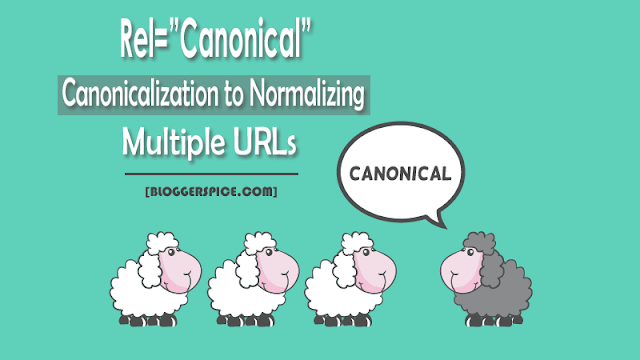
Rel=�Canonical� for canonicalization to normalizing multiple URLs.

how to use rel-'canonical'

Yes! Rel=�Canonical�sounds like something strange. Huh! This is an essential SEO element to normalize multiple URLs. You can visit a specific post from different URLs and domains entirely. Take a closer look at the below URLs, All links pointing to the same article with same content, but in real they have different paths (URLs)
  • http://example.com/SEO
  • https://example.com/SEO
  • http://www.example.com/SEO
In case of Blog Post that assigned to a specific Label you can visit the post by using different URLs like below.
  • http://example.com/SEO/Post-Title
  • https://example.com/SEO/Post-Title
  • http://www.example.com/SEO/Post-Title
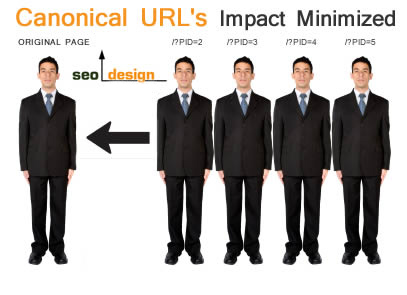
This means for single Blog post we have multiple URLs. As a result search engine will index 3 URLs for single post; this is very bad for your site SEO. But if you use rel=�Canonical� tag then you can solve this issue. rel=�Canonical� is a function that allows you to set up a preferred URL for a specific webpage.

What is rel=�Canonical� tag?

�rel=Canonical� tag is a page level meta tag, generally place in the HTML header of a webpage for normalizing multiple URLs. As a result when search robots visit your site then it tells to search engines which URL is the canonical version of the page being display. The main purpose of using rel=�Canonical� to keep duplicate content out of the search engine index while combining your page�s strength into one �Canonical� page.

The �rel=Canonical� element also known as �Canonical Link� and it helps the webmasters to specifying the canonical or preferred version of a webpage. As a result it is able to prevent duplicate content issue from your website.

Why to use rel=�Canonical�?

This is absolutely true that correct use of SEO ensure proper website optimization. But if something becomes wrong then it can be a disaster.

#1: Search Engine Support is Blotchy
Search engine love specific and spotty. If you can specify your web page URL by canonical tag then search engine can pick the right URL, but Google supports canonical tag on both single and across multiple domains. Bing search engine considers the canonical tag as indication, nothing else. So try to use rel=�Canonical�properly thus you can blotch the URL.

#2: Canonical tag for fixing Duplicate content
If you don�t use any rel=�Canonical� tag then search robot will detect multiple URLs for single post. But search robot will think you can multiple contents in your website. So if you use Canonical tag it will stop detecting duplicate content from your website.


#3: Consolidating link signals for preferred URL.
rel=�Canonical� helps search engine to consolidate the information for the individual URLs on a single and preferred URL. As a result, no matter how many URLs have to view your Blog Post search engine will get consolidate with links to preferred one. As a result search engine will avoid duplicate or similar content.

#4: To get accurate Analytics report for a single product/topic.
If you are using Analytics tools for tracking the product performance then it is not possible for multiple URLs on single product or Post. So for the variety of URLs it�s very difficult to get consolidated metrics for a specific piece of content. rel=�Canonical� tag helps the search engine to detect preferred URL and your Analytics tool will provide accurate tracking metrics.

#5: Determine what URL you want to show.
It is possible to display preferred URL through rel=�Canonical� tag. So you can determine what URL to show your audience and what are not. You can prefer people to reach your post page via
https://example.com/SEO/Post-Title/URL rather than below URL. https://example.com/SEO/Post-Title?gclid=ABCD

#6: Addressing syndicated content.
Ranking is necessary for grow your Website properly. But if you syndicate your content for multiple domains then you should use rel=�Canonical� tag to consolidate page ranking to your preferred URL.


canonical-url of a Webpage

How you can use canonical URLs?

We can use rel=�Canonical� to improve link and ranking signals for our Blog content. But we can implement it different ways. If you wish to use it for a preferred URL you can simple do it like below:

<head> <link rel=�canonical� href=�https://example.com/SEO/Post-Title/� /> </head>

The above system is manual. If you are using WordPress then SEO plugin is the solution. And almost all SEO plugins have rel=�Canonical� feature.

In case of Google Blogger site we can easily use rel=�Canonical� tag for all WebPages at once. Just follow the below steps-

Step #1: Go to �https://www.blogger.com� and Sign in to your account

Step #2: From �Blogger Dashboard� click on ->Template ->Edit HTML 

Step #3: And locate the <head> section in your Blogger template

Step #4: Finally copy following line of markup and paste it below <head>
<link expr:href='data:blog.url' rel='canonical'/>
Step #5: After that hit the Save template� button

Now when search robot visit your Blog then It will index only preferred URL only. To check rel=�Canonical� in your Blog just visit any post page and view the page source by pressing CTRL+U or by right click. You will see the canonical URL like below. This means you have canonicalized your Blog post URL properly.

<link href='https://example.com/SEO/Post-Title/' rel='canonical'/>

So it�s all about link canonicalization to normalizing multiple URLs. I hope you have understood the importance of using it and able to apply in your website.

how to implement rel-'canonical' in website
Rel=�Canonical� for canonicalization to normalizing multiple URLs.

Liked this article? Check out for more step-by-step SEO tips in my blog. And don�t forget to share the knowledge!  

Kategori

Kategori